Resources
The Resources page (under System, Diagnostics) shows what the server is spending its CPU and memory on, updated every few seconds.
Host and services
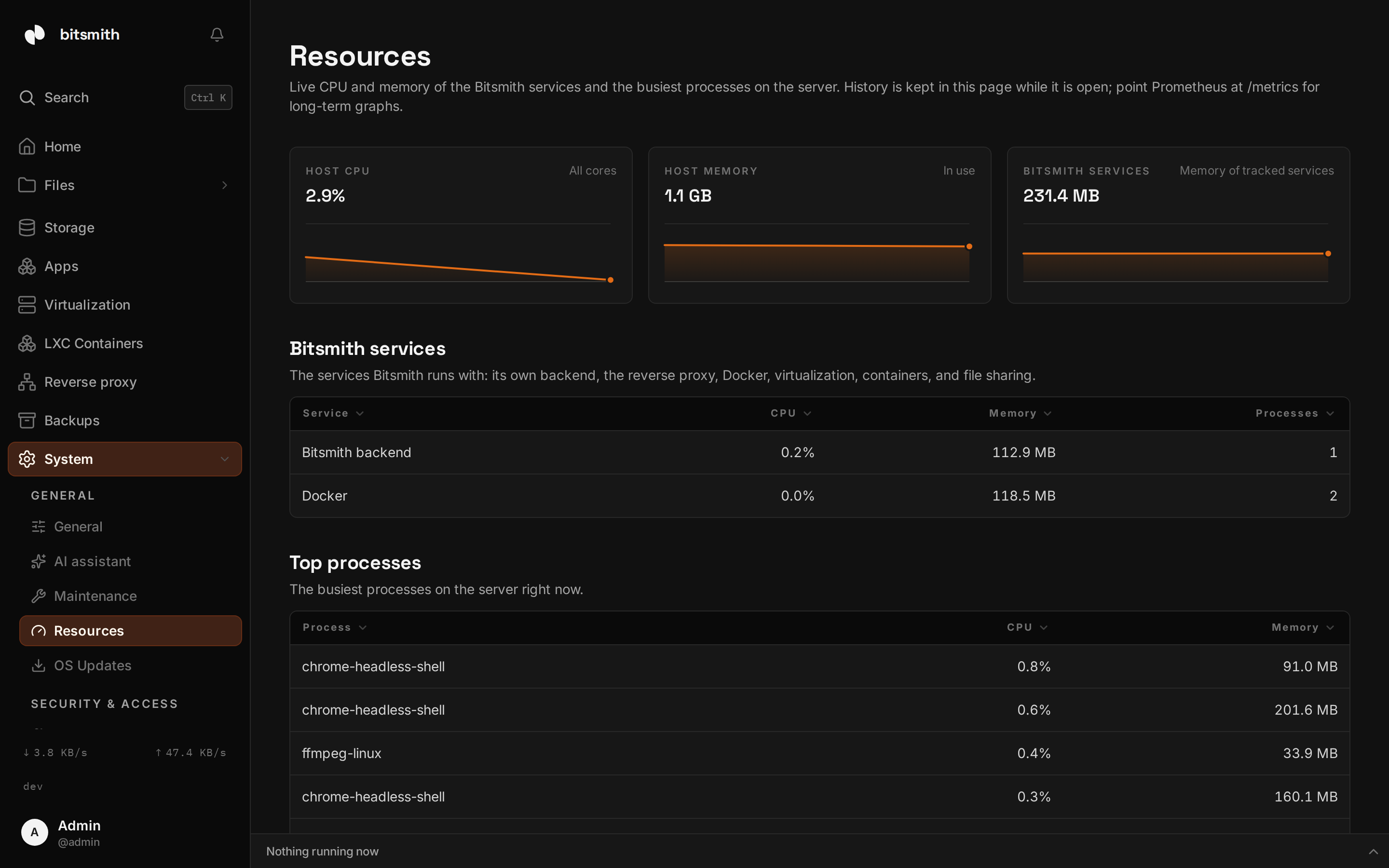
Section titled “Host and services”The three cards at the top track the whole machine: host CPU and memory as they change while the page is open, and the combined memory of the services Bitsmith manages.
The Bitsmith services table breaks that down per service: the Bitsmith backend itself, the reverse proxy, Docker, virtualization (libvirt and QEMU), containers, and file sharing. Each row shows the service’s CPU share across all its processes, its total memory, and how many processes it runs.
Top processes
Section titled “Top processes”Below, the busiest processes on the server at this moment. Processes that belong to a tracked service are labelled with the service name.
History and long-term graphs
Section titled “History and long-term graphs”The page keeps its history only while it’s open. For long-term graphs, point
Prometheus at the server’s /metrics endpoint
(enable the metrics token under Maintenance, then scrape with it as a
Bearer token). The bitsmith_service_* metric family publishes the same
per-service numbers the Resources page shows, so dashboards and alerts can
use them.