Single sign-on (OIDC)
Single sign-on lets people sign in to Bitsmith with an account they already have from an identity provider, instead of a separate Bitsmith password. Bitsmith supports any provider that speaks OIDC (OpenID Connect), including Google, Authentik, Keycloak, and Okta.
This is optional. Without it, people sign in with household user accounts.
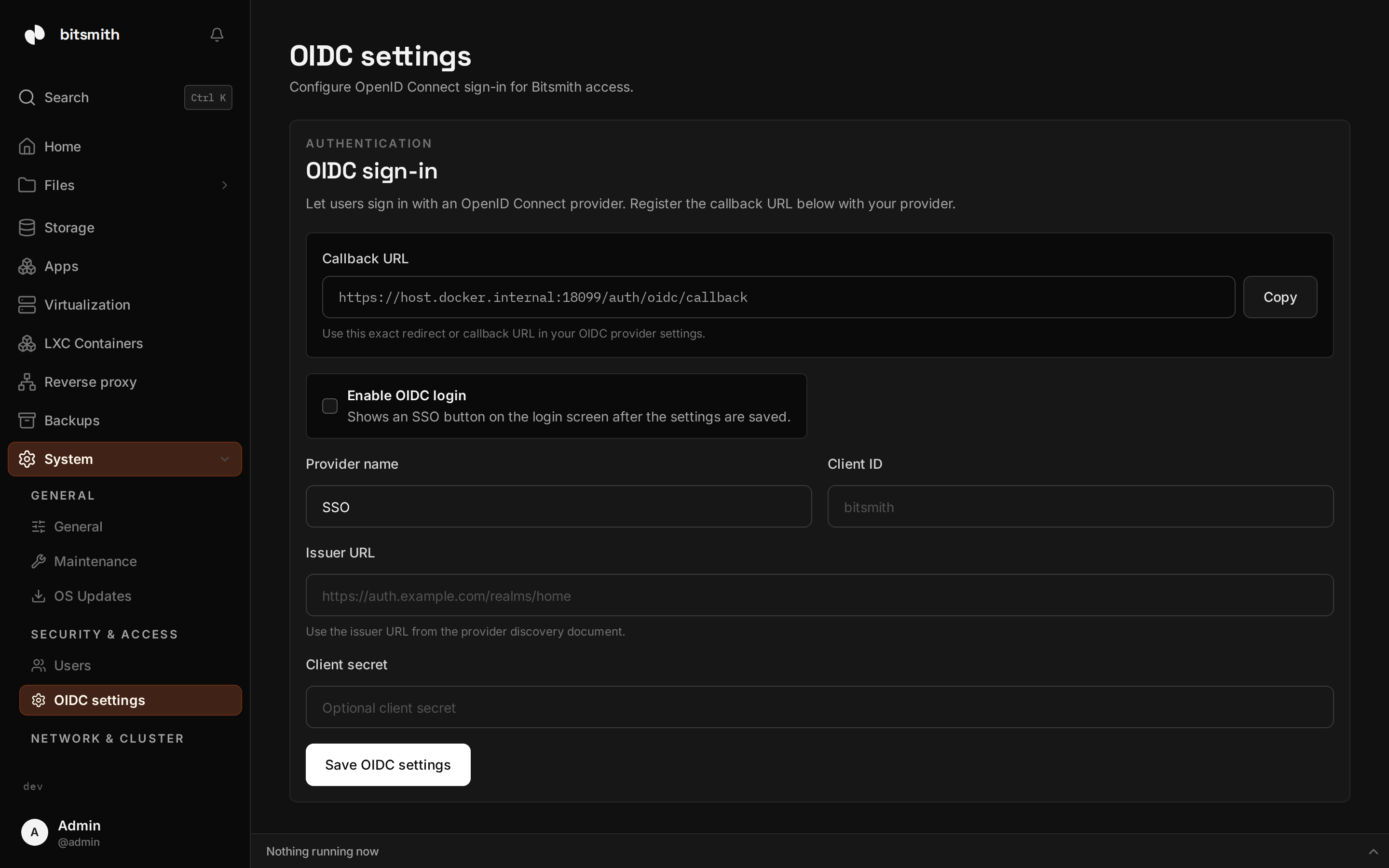
Set it up
Section titled “Set it up”You’ll configure it in two places: your provider, then Bitsmith.
- In your identity provider, create an application (sometimes called a client)
for Bitsmith. Set its redirect (callback) URL to
https://<your-server>/auth/oidc/callback. The provider gives you an issuer URL, a client ID, and a client secret. - In Bitsmith, open Access, then OIDC settings, and turn it on.
- Enter the issuer URL, client ID, and client secret, and a provider name to show on the sign-in button (for example “Google”).
- Use Test connection to confirm Bitsmith can reach the provider, then save.
After saving, the sign-in screen offers signing in with your provider.
Turn off sign-in with a password
Section titled “Turn off sign-in with a password”Once single sign-on works, you can switch off Sign in with a password on the same page. The sign-in screen then shows only your provider’s button. In a cluster this applies on every server.
Bitsmith refuses to switch it off while single sign-on is off or its provider doesn’t answer, and refuses to turn single sign-on off while sign-in with a password is off, so nobody gets locked out. To connect another server to a cluster that only takes single sign-on, start the connection from a server that’s already in the cluster.