Notifications
Bitsmith raises an alert when something needs you: a degraded drive, a scheduled backup that failed, storage running out. Alerts show in the bell and on the Alerts page, and they clear by themselves once the problem is gone. Notifications send those alerts to you when you’re not looking at the interface. Set them up under Notifications (System, Users & access).
Notifications are only about alerts. Work you started and watched, like a backup you ran by hand, shows in its task and in the Activity log, and sends nothing.
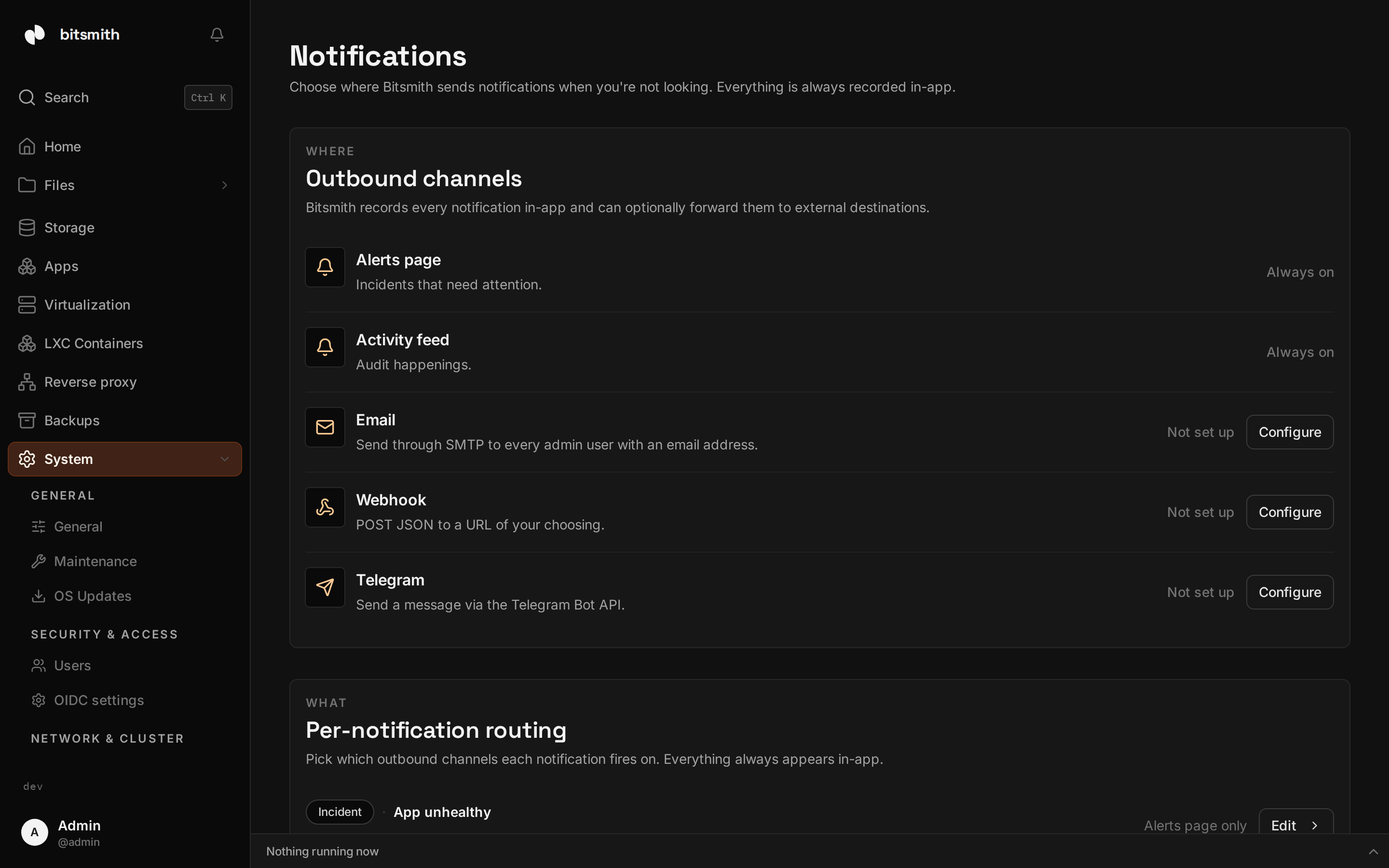
Channels
Section titled “Channels”You can set up:
- Email, sent over SMTP to everyone who signs in and has an email address. Enter your SMTP host, port, credentials, and a from address.
- Webhook, posts each alert as JSON to a URL you provide. Use this to wire alerts into your own automation.
- Telegram, sends a message through a Telegram bot. Provide the bot token, then pick the chat to deliver to.
Each channel has a Send test action so you can confirm it works before relying on it. Each channel’s row shows its address and how its last delivery went: which alert it sent and when, or, in red, why it could not send it and when it tries again.
What gets sent
Section titled “What gets sent”Every kind of alert has its own switch under What gets sent, and every switch starts on. An alert that is on goes to every channel you have set up. Turn a kind off and nothing is sent for it, to any channel. Alerts always show in the bell and on the Alerts page, whatever the switches say.
The switches come in five groups:
- Storage: a pool or drive that needs attention, storage almost full, a scrub that found errors or is overdue, connected storage that went offline.
- Backups: a scheduled backup that failed, or that didn’t run.
- System: an update is available, an automatic update failed, the license needs attention.
- Servers: a server is offline or on another version, a new server or a server you can connect on your network, a server the others removed.
- Apps and sites: an app that needs attention, your sites are down, a site certificate that wasn’t renewed, the HTTPS certificate expires soon, a runner pool that can’t run jobs.
To stop a channel altogether, turn it off in its settings. Switching an alert on or off is recorded in the Activity log.
If you routed single kinds of alert before the switches existed, Bitsmith keeps what you turned off: an alert you sent to no channel stays off, and every other alert is on and goes to every channel you set up.
When you hear about an alert
Section titled “When you hear about an alert”- When it starts.
- When it comes back after it had cleared.
- When it gets worse, for example a backup that has now been failing for a day turns critical. A dismissed alert comes back when it gets worse.
An alert whose switch is off sends nothing at any of these moments.
Bitsmith tries a channel again when it could not reach it, after 30 seconds, 2 minutes and 10 minutes. A channel that refuses the message is not tried again.
What a notification says
Section titled “What a notification says”Each notification is written in your language: an email in the language you
picked in your settings, and Telegram and the webhook in the language of the
person who last saved them. It names the server it came from and links to the
alert in Bitsmith. The link uses the server’s web address (BASE_URL, see
Configuration).
Webhook format
Section titled “Webhook format”The webhook receives a POST with a JSON body:
{ "version": 2, "event": "opened", "sentAt": "2026-10-01T12:00:00Z", "server": { "name": "nas-1" }, "alert": { "id": "issue_8f2c", "type": "backup.run_failed", "key": "schedule-1", "severity": "critical", "category": "backup", "title": "Backup failed", "message": "The scheduled backup of Photos to Offsite failed, and Bitsmith tries again on schedule. Reason: disk full", "target": { "type": "backup_schedule", "id": "schedule-1", "label": "Photos" }, "url": "https://nas.example.com/system/issues?alert=issue_8f2c" }}event is opened, reactivated (it came back), escalated (it got
worse), or test. severity is info, warning, or critical.
Earlier versions of Bitsmith sent {"issue": {...}} with capitalized field
names and also posted activity events. If you built on that format, read
version and move to the fields above.