Peers
Peers lets two or more Bitsmith servers on your home network pair securely and act as one cluster. The Peers page, under System, is where you pair servers, watch the health of each link, and manage the members.
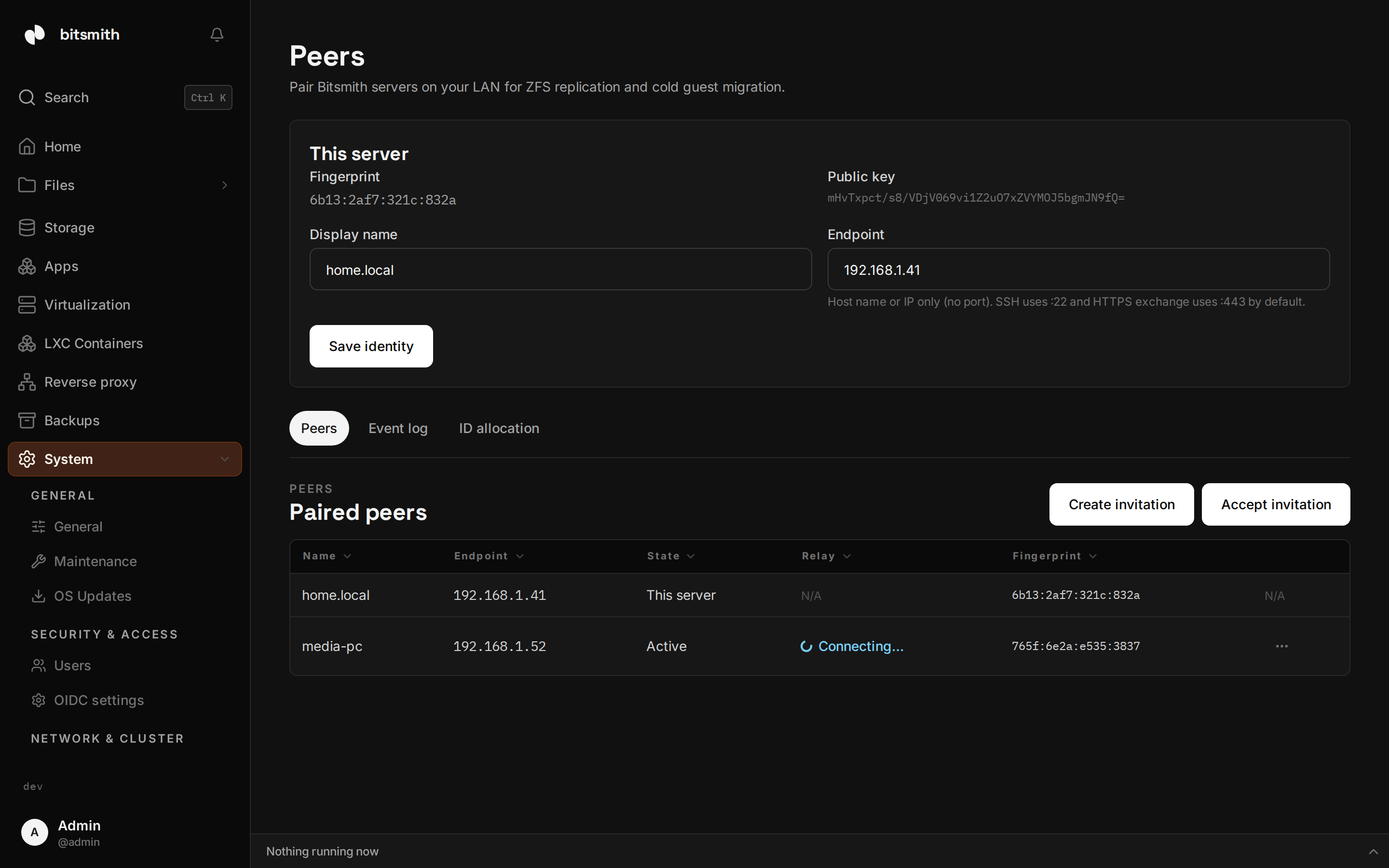
Your server’s identity
Section titled “Your server’s identity”Each server has an identity card with a display name, an endpoint, a fingerprint, and a public key. The endpoint is the server’s hostname or IP address, with no port. Both servers must have their endpoint saved before pairing can happen, because every peer record points at it.
Pair two servers
Section titled “Pair two servers”Pairing is initiated from one server and accepted on the other:
- On the first server, open Peers and choose Create invitation. The invitation is short-lived and the dialog counts down its remaining time.
- Copy it and give it to the second server’s admin through a channel you trust.
- On the second server, choose Accept invitation, paste it, and accept. The second server connects back to the first, and both record each other.
- Each side shows a short fingerprint of the other’s public key. Check the fingerprints against each other out of band before you treat the pair as trusted; that closes the gap on the invitation traveling through a channel you did not control.
When both sides have each other, pairing is complete. If the connection back to the inviter fails, the acceptor tells you so, and re-pasting the same still-valid invitation retries. You can use Verify connection on any peer to check that both of its links, the HTTPS control plane and the SSH path, work end to end.
What you get when paired
Section titled “What you get when paired”Once paired, the virtual machine and container pages list the guests of every paired server in one table, with a Peer column that says which server a guest runs on and a peer filter to narrow the list to one server. Guest IDs (vmid, lxcid) are local counters on each server, so two servers can host the same number; the cluster view namespaces every row by its server, so identical IDs coexist side by side.
The cluster also shares two roles. The terminal can open a host shell on any connected peer, and one peer serves the reverse proxy for the whole cluster, with the holder role movable to another peer.
A stopped VM or LXC container can move to a paired server from its row menu; see Moving a guest to a peer. Replicating ZFS datasets between the servers is the next phase of the cluster work; it is not available yet.
Moving a guest to a peer
Section titled “Moving a guest to a peer”A stopped VM or LXC container can be moved to a paired server. Stop the guest, open its row menu, and choose Move to peer…. Pick the peer and the destination storage on that peer (the system drive or a ZFS pool). The move runs as a background task: the target reserves the guest’s ID and stages the data, the source ships the guest’s data directory over the pair’s SSH link, and the target commits it into place before the source tears itself down. The guest keeps its ID (vmid or lxcid) and lands stopped on the peer. A failed move leaves the source untouched.
Relay health and the event log
Section titled “Relay health and the event log”Every active peer keeps an event relay open, the channel that carries cluster events between the servers. The peer table shows each relay’s state, Connected, Connecting…, or Down, with the time of its last relayed event. The Event log tab streams the events the cluster has relayed, with the peer they came from, so you can see a second server’s activity on the first.
Revoke a peer
Section titled “Revoke a peer”You can Revoke any paired peer. Revoking removes that server from the cluster and refuses its key on future connections; an in-flight transfer completes, but the next command is refused. A revoked peer does not come back on its own. Pair it again with a fresh invitation if you want it in the cluster.
Licensing
Section titled “Licensing”Each Bitsmith server is its own licensed machine. Pairing does not pool licenses, so every server in the cluster keeps its own.